
03 / HW Multimeter & DC motor
- Feb 9, 2016
- 2 min read
How To Use A Multimeter
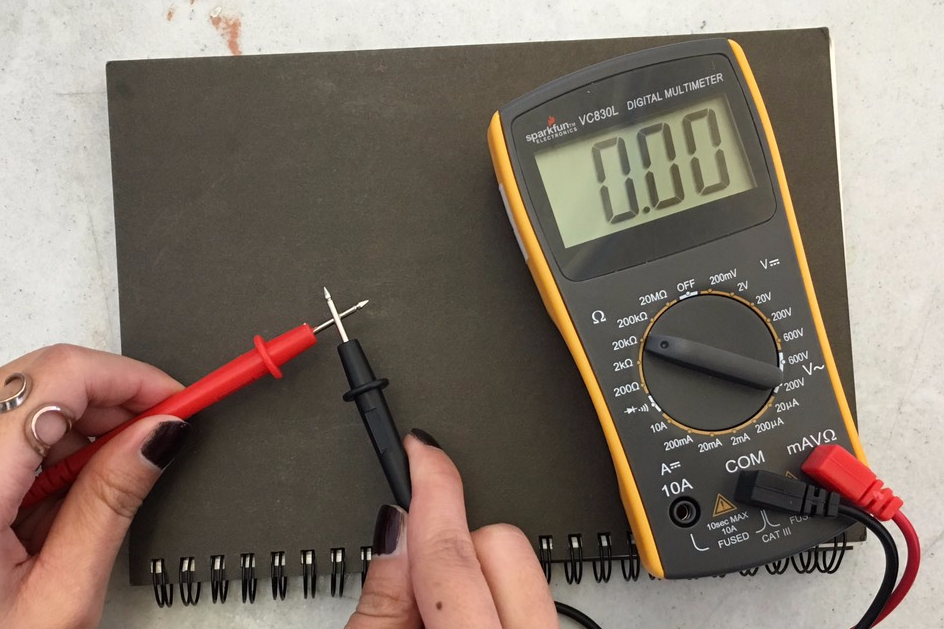
Testing Continuity
1. Plug the black probe into the COM port on your multimeter.
2. Plug the red probe into the VΩmA port.
3. Switch on your multimeter and touch the tip of probes together, then screen displays a value of zero so it means there is no current detected.
Testing Resistance
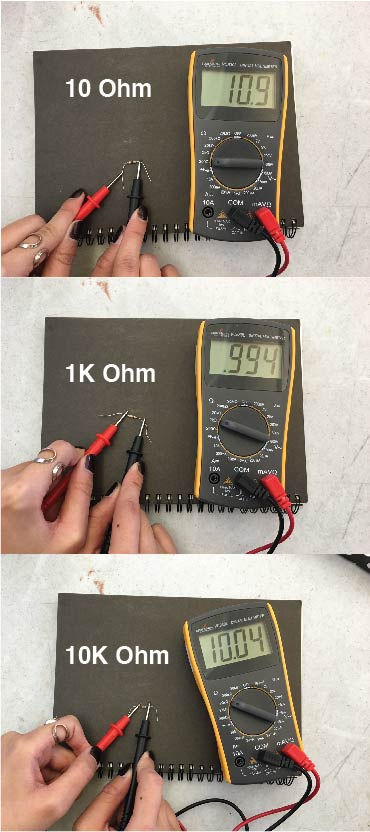
Measure resistance of a resistor 10 Ohm / 1K Ohm / 10K Ohm
1. Switch on the multimeter, and set the dial to resistance mode.
2. To test different resistance, set to a usable range.
- If the multimeter reads close to zero, the range is set too high for a good measurement. Turn the dial to a lower setting.
- If the multimeter reads 1 or OL (overload), the range is set too low for a good measurement. Turn the dial to a higher setting.
* The resistances are always positive, because they are non-directional.
Testing Voltage
Measure the voltages of AAA, AA, C, and D battery
1. Switch on the multimeter, and set the dial to DC voltage mode.
2. Since all of our batteries come with 1.5 V, I set the multimeter to 2 V. (Each setting on the dial lists the maximum voltage it can measure)

As I put the red lead on the negative terminal of a battery, and the black lead on the positive terminal, I got a negative voltage reading.

* As my experiment, I never get an accurate voltage because battery voltage is nominal, which means that the the result is just the average voltage of the battery.
DC Motors (tutorial)
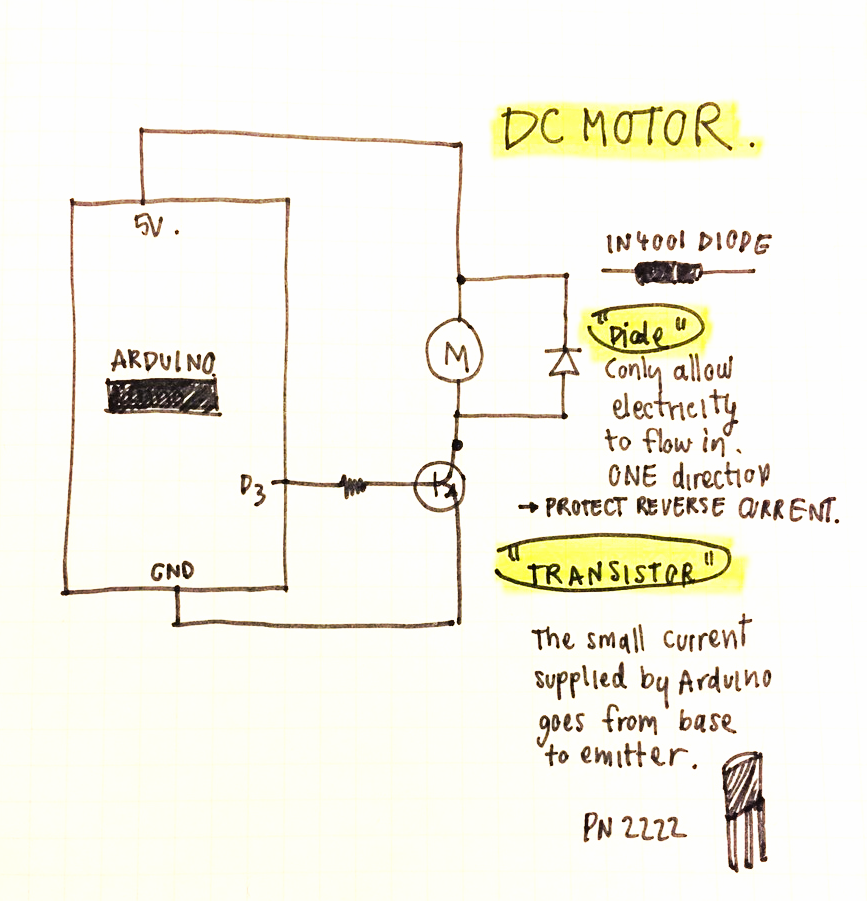
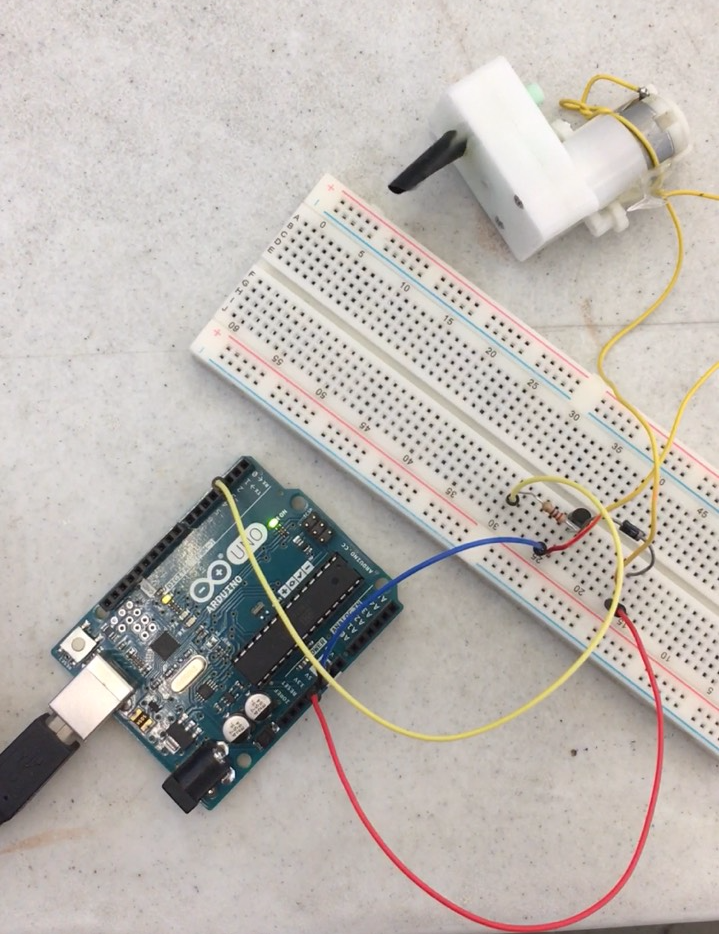
1. Connect the board and arduino as the following schematic.
2. Load up the following sketch onto the Arduino.
Arduino Code
/* Adafruit Arduino - Lesson 13. DC Motor */
int motorPin = 3; void setup() { pinMode(motorPin, OUTPUT); Serial.begin(9600); while (! Serial); Serial.println("Speed 0 to 255"); } void loop() { if (Serial.available()) { int speed = Serial.parseInt(); if (speed >= 0 && speed <= 255) { analogWrite(motorPin, speed); } } }

3. To control the speed of motor, I opened a Serail Moniter and enter a value between 0-255. The high numbers made it spin faster while the low number made it spin lower.
4. When it spinned faster, the motor produced louder noise than when it spinned slower.
Stepper Moter

"Steps in Time"


Comments